
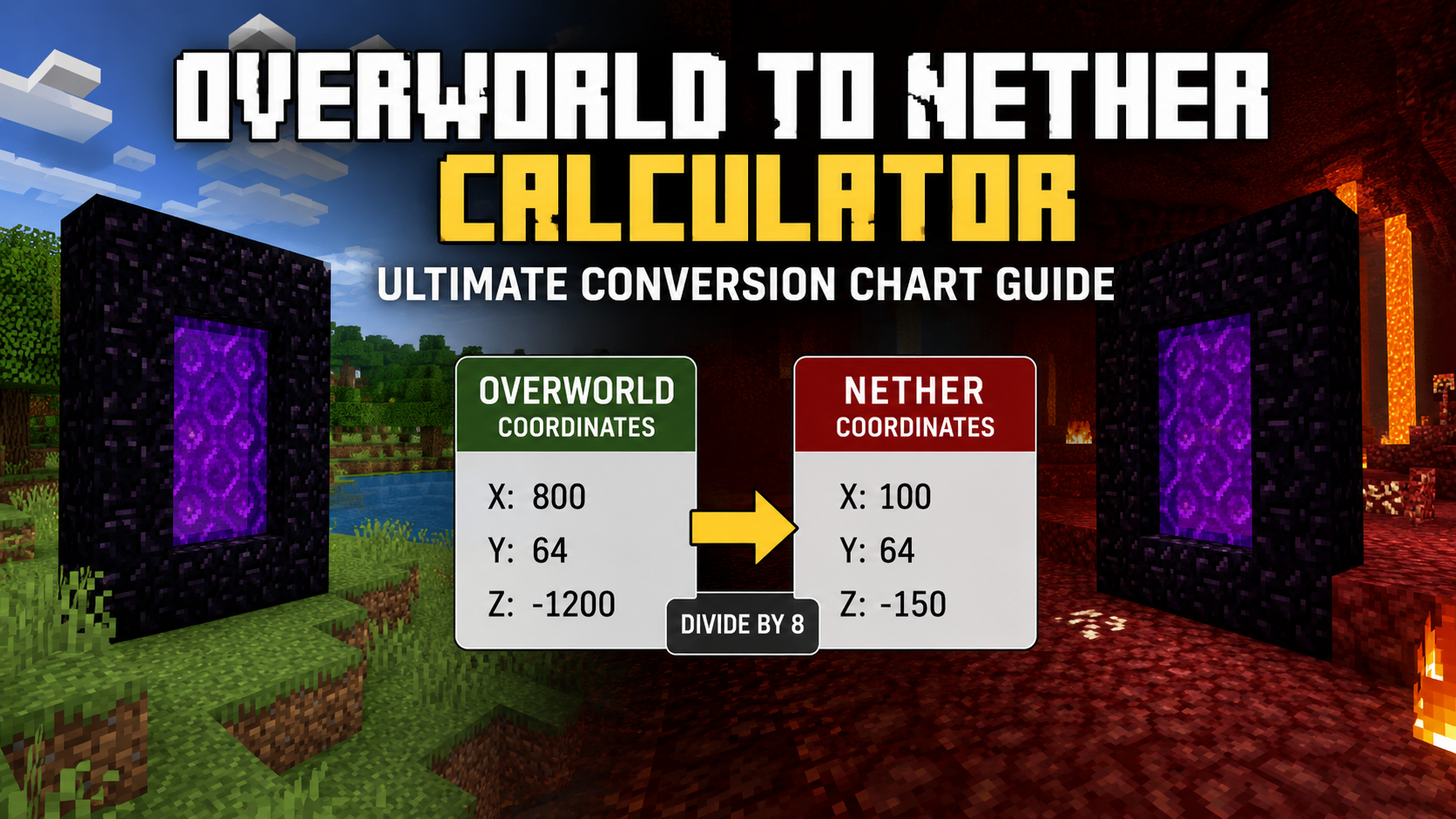
Minecraft worlds can become massive very quickly. As players explore farther from their starting area, traveling between bases, villages, strongholds, farms, and resource locations can take a lot of time. This is where the Nether becomes one of the most useful dimensions in the game. Because travel works differently between dimensions, players can use the Nether to cover long distances much faster than traveling through the Overworld.
A reliable overworld to Nether calculator helps players convert coordinates between dimensions without making mistakes. If you want a quick way to calculate portal locations, try the Nether Portal Calculator: https://calcurax.com/nether-portal-calculator/. This tool can instantly perform Minecraft coordinate conversion and help you place portals accurately.
In this guide, you will learn how an overworld-nether conversion calculator works, why coordinate conversion matters, how the 8:1 ratio affects travel, and how to use a nether coordinate calculator for accurate portal placement. You will also learn the formulas behind portal conversion, how a coordinate conversion calculator handles large distances, and how a nether conversion chart can save time when building transportation networks.
What Is an Overworld to Nether Calculator?
An overworld to Nether calculator is a tool that converts Minecraft coordinates from one dimension to another. Instead of manually calculating values, players can enter coordinates and receive an instant result.
Minecraft uses a unique distance system between dimensions. Every block traveled inside the Nether represents eight blocks in the Overworld. Because of this relationship, players often need a Nether conversion calculator to determine where portals should be built.
Many players also refer to these tools as a Minecraft coordinates converter, Minecraft coordinate converter, coordinate conversion tool, or dimension coordinate converter. While the names may differ, the goal remains the same: converting coordinates accurately between dimensions.
A good calculator removes guesswork from portal coordinate conversion and helps players avoid linking portals to the wrong locations. This becomes even more useful when creating transportation systems that connect multiple bases across thousands of blocks.
Players commonly use an overworld to Nether calculator for:
- Base-to-base travel
- Village connections
- Stronghold access
- Resource transportation
- Multiplayer server highways
- Portal network planning
Without accurate calculations, portal locations may generate in unexpected places, making travel slower and more confusing.
Why Coordinate Conversion Matters in Minecraft
Coordinate conversion affects almost every long-distance transportation system in Minecraft. Many players know that Nether travel is faster, but fewer understand how coordinate calculations make that speed possible.
When coordinates are converted correctly, players can travel one-eighth of the normal distance while reaching the same destination. This concept forms the foundation of Minecraft dimension conversion and explains why experienced players build portal networks instead of relying entirely on Overworld travel.
For example, if a player wants to reach a location 8,000 blocks away, traveling through the Overworld requires covering the full distance. Using Nether travel, the same trip only requires moving 1,000 blocks inside the Nether.
This relationship makes Minecraft distance conversion one of the most valuable mechanics in the game.
How the Nether Travel System Works
The Nether acts as a compressed version of the Overworld. Every movement inside the Nether covers much greater distances once a player returns to the Overworld.
The system is based on the official Minecraft ratio:
- 1 Nether block = 8 Overworld blocks
- 10 Nether blocks = 80 Overworld blocks
- 100 Nether blocks = 800 Overworld blocks
- 1,000 Nether blocks = 8,000 Overworld blocks
This mechanic is often called 8x coordinate conversion because each block effectively represents eight blocks in the other dimension.
When players use a Nether travel calculator, they are applying this relationship to determine portal locations. Understanding this system makes it easier to build transportation routes, create portal networks, and improve travel efficiency.
Understanding the 8:1 Overworld and Nether Distance Ratio
The most important concept behind every nether coordinate calculator is the 8:1 ratio.
This ratio controls how distances scale between dimensions and forms the basis of Minecraft coordinate scaling. Without understanding this rule, accurate portal placement becomes difficult.
The ratio means:
- 8 Overworld blocks equal 1 Nether block.
- 80 Overworld blocks equal 10 Nether blocks.
- 800 Overworld blocks equal 100 Nether blocks.
- 8,000 Overworld blocks equal 1,000 Nether blocks.
Many players refer to this process as dividing coordinates by 8 in Minecraft when traveling from the Overworld to the Nether.
When returning from the Nether to the Overworld, players multiply coordinates by 8 in Minecraft.
This relationship is commonly known as the Minecraft Overworld to Nether ratio.
The ratio only affects horizontal coordinates. The Y coordinate usually remains unchanged because height does not scale between dimensions.
Understanding this rule helps players perform accurate x and z coordinate conversion and avoid common portal placement errors.
Quick Distance Examples
The following examples show how the ratio works in real gameplay situations.
| Overworld Distance | Nether Distance |
| 80 Blocks | 10 Blocks |
| 160 Blocks | 20 Blocks |
| 400 Blocks | 50 Blocks |
| 800 Blocks | 100 Blocks |
| 1,600 Blocks | 200 Blocks |
| 4,000 Blocks | 500 Blocks |
| 8,000 Blocks | 1,000 Blocks |
| 16,000 Blocks | 2,000 Blocks |
These values demonstrate why players often build Nether highways instead of traveling entirely through the Overworld.
Overworld to Nether Conversion Formula
Every Minecraft coordinate conversion guide should explain the exact formula behind coordinate conversion. While calculators automate the process, understanding the formula helps players verify results and troubleshoot portal linking issues.
The Overworld-to-Nether formula is very simple.
To convert coordinates from the Overworld to the Nether:
Nether X = Overworld X ÷ 8
Nether Z = Overworld Z ÷ 8
The Y coordinate remains the same.
This formula forms the foundation of every coordinate conversion calculator, Minecraft portal math calculator, and nether portal conversion system.
Formula for Overworld to Nether Coordinates
Suppose a player has the following coordinates:
- X = 2400
- Y = 72
- Z = 1600
To perform the conversion:
2400 ÷ 8 = 300
1600 ÷ 8 = 200
The converted coordinates become:
- X = 300
- Y = 72
- Z = 200
This calculation is an example of Minecraft x-z conversion, where only the horizontal coordinates change.
Players who use a coordinate scaling calculator receive the same result instantly.
Formula for Nether to Overworld Coordinates
The reverse process uses multiplication.
To convert coordinates from the Nether back to the Overworld:
Overworld X = Nether X × 8
Overworld Z = Nether Z × 8
Every Minecraft coordinate converter and Nether distance calculator uses this method.
Example:
Nether Coordinates:
- X = 500
- Y = 75
- Z = 250
Calculation:
500 × 8 = 4000
250 × 8 = 2000
Converted Overworld Coordinates:
- X = 4000
- Y = 75
- Z = 2000
This simple formula powers every portal conversion, Minecraft portal conversion, and Nether portal coordinate conversion calculation used by players.
How to Calculate Nether Coordinates Manually?
Many players rely on calculators, but manual calculations are surprisingly easy once the ratio becomes familiar.
The process only requires basic division and can be completed in a few seconds.
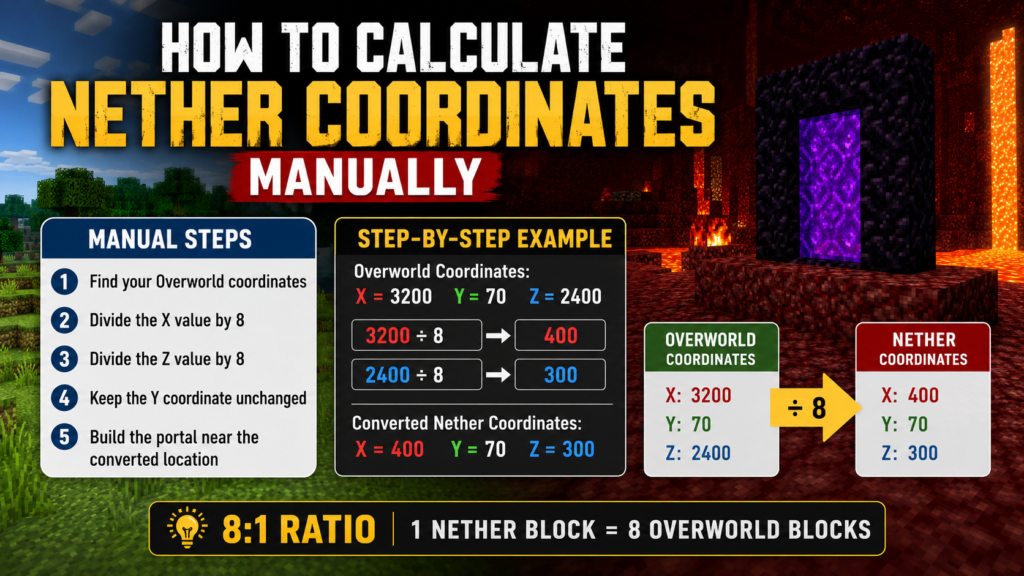
To calculate coordinates manually:
- Find your Overworld coordinates.
- Divide the X value by 8.
- Divide the Z value by 8.
- Keep the Y coordinate unchanged.
- Build the portal near the converted location.
Manual calculations help players understand how the Nether portal math system works and make it easier to verify calculator results.
Step-by-Step Coordinate Conversion Example
Imagine a player has a base located at:
- X = 3200
- Y = 70
- Z = 2400
The conversion process looks like this:
3200 ÷ 8 = 400
2400 ÷ 8 = 300
Converted Nether Coordinates:
- X = 400
- Y = 70
- Z = 300
This location becomes the ideal place to build a matching Nether portal.
Players who frequently work with coordinates often combine manual calculations with a coordinate chart for faster planning.
For additional help with Minecraft portal coordinates and accurate portal placement, many players also use portal coordinate resources.
Overworld to Nether Conversion Chart
While formulas are useful, most players prefer a quick reference chart. A good overworld to Nether conversion chart allows players to find converted values instantly without repeating calculations.
This type of Minecraft Nether conversion chart is especially useful when planning multiple portals or creating transportation networks.
The chart below shows common conversions used by players in survival and multiplayer worlds.
| Overworld Coordinates | Nether Coordinates |
| 80, 80 | 10, 10 |
| 160, 160 | 20, 20 |
| 240, 240 | 30, 30 |
| 320, 320 | 40, 40 |
| 400, 400 | 50, 50 |
| 480, 480 | 60, 60 |
| 560, 560 | 70, 70 |
| 640, 640 | 80, 80 |
| 720, 720 | 90, 90 |
| 800, 800 | 100, 100 |
This Nether portal conversion chart serves as a fast reference for routine travel planning and portal construction.
Quick Coordinate Chart for Common Portal Locations
Players often build portals around major landmarks such as bases, villages, farms, and trading halls. Having a dedicated Nether coordinate chart makes it easier to connect these locations without repeatedly using formulas.
The following overworld coordinate chart contains larger values commonly used in survival worlds.
| Overworld Coordinates | Nether Coordinates |
| 1000, 1000 | 125, 125 |
| 2000, 2000 | 250, 250 |
| 3000, 3000 | 375, 375 |
| 4000, 4000 | 500, 500 |
| 5000, 5000 | 625, 625 |
| 6000, 6000 | 750, 750 |
| 7000, 7000 | 875, 875 |
| 8000, 8000 | 1000, 1000 |
| 9000, 9000 | 1125, 1125 |
| 10000, 10000 | 1250, 1250 |
Using a Minecraft coordinate chart like this can save time when planning long-distance travel routes. It also provides a quick reference for players building large transportation systems that depend on accurate Nether portal coordinates.
20 Real Overworld to Nether Coordinate Conversion Examples
Understanding the formula is helpful, but real examples make Minecraft coordinate conversion much easier to use in actual gameplay. Many guides stop after explaining the math. Players are then left to figure out their own coordinates. This section fills that gap by providing a wide range of examples that cover small, medium, and large distances.
These examples show how an overworld to nether calculator, nether coordinate calculator, or minecraft coordinate converter works with real coordinate values. They also help players understand portal coordinate conversion without needing to calculate every value manually.
Small Distance Coordinate Examples
Small-distance conversions are common when connecting nearby structures such as farms, villages, mob grinders, or temporary bases. Even over shorter distances, using proper Nether portal coordinate conversion can save time and keep portal networks organized.
The examples below use the standard Minecraft Overworld to Nether ratio.
| Overworld Coordinates | Nether Coordinates |
| 100, 100 | 12.5, 12.5 |
| 200, 400 | 25, 50 |
| 320, 640 | 40, 80 |
| 480, 960 | 60, 120 |
| 800, 400 | 100, 50 |
These values show how quickly distances shrink when converted through the Nether. Even a simple coordinate conversion calculator can make route planning much faster when multiple locations are involved.
Medium Distance Coordinate Examples
Medium-distance travel is where many players begin building dedicated portal routes. These distances are common when connecting separate bases, villages, and resource locations.
The following examples demonstrate how Minecraft coordinate scaling works across larger areas.
| Overworld Coordinates | Nether Coordinates |
| 1200, 1600 | 150, 200 |
| 2000, 800 | 250, 100 |
| 2400, 3200 | 300, 400 |
| 3200, 2400 | 400, 300 |
| 4000, 1600 | 500, 200 |
As the distances grow, the benefits of a nether conversion calculator become more noticeable. A trip that would normally require several thousand blocks of travel can often be reduced to only a few hundred blocks inside the Nether.
Long Distance Coordinate Examples
Long-distance travel is one of the biggest reasons players use an overworld nether conversion calculator. The larger the distance, the greater the time savings.
The following examples demonstrate how Minecraft distance conversion works over thousands of blocks.
| Overworld Coordinates | Nether Coordinates |
| 6400, 3200 | 800, 400 |
| 8000, 4000 | 1000, 500 |
| 12000, 6000 | 1500, 750 |
| 16000, 8000 | 2000, 1000 |
| 24000, 12000 | 3000, 1500 |
At these distances, players can reduce travel by nearly 87.5%. This is why many multiplayer communities build extensive Nether transportation systems.
Additional Real Coordinate Examples
The following examples expand the Overworld to Nether conversion chart and provide more values that players can use as a quick reference.
| Overworld Coordinates | Nether Coordinates |
| 500, 1500 | 62.5, 187.5 |
| 900, 3600 | 112.5, 450 |
| 5000, 10000 | 625, 1250 |
| 7200, 2400 | 900, 300 |
| 32000, 16000 | 4000, 2000 |
Together, these examples create a practical nether coordinate chart that goes beyond the limited examples found in most competing guides.
Negative Coordinate Conversion Examples
Negative coordinates confuse many Minecraft players because they look different from standard positive values. The good news is that the conversion process remains the same.
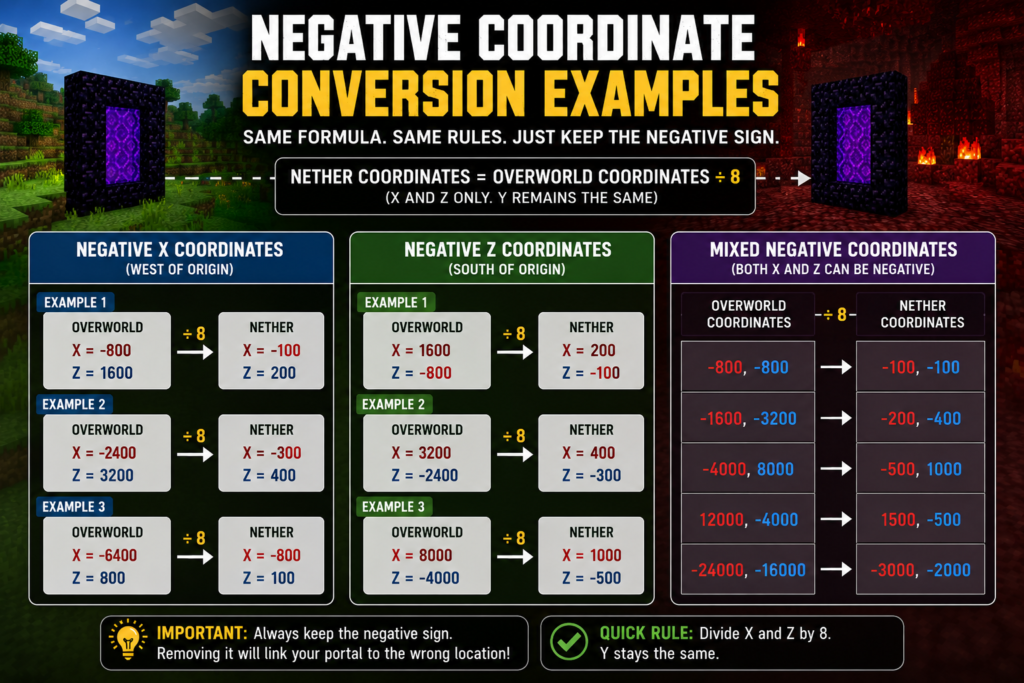
When working with negative coordinates, players simply perform the same calculation while keeping the negative sign attached to the number. Every Minecraft coordinates converter follows this rule.
Negative coordinates are extremely common because many worlds extend into negative X and negative Z regions. Knowing how to convert them correctly helps prevent portal placement mistakes.
Converting Negative X Coordinates
Negative X values appear when traveling west of the world origin point.
The conversion process remains unchanged.
Example 1:
Overworld Coordinates:
X = -800
Z = 1600
Conversion:
-800 ÷ 8 = -100
1600 ÷ 8 = 200
Nether Coordinates:
X = -100
Z = 200
Example 2:
Overworld Coordinates:
X = -2400
Z = 3200
Nether Coordinates:
X = -300
Z = 400
Example 3:
Overworld Coordinates:
X = -6400
Z = 800
Nether Coordinates:
X = -800
Z = 100
These examples show how a dimension coordinate converter handles negative values without changing the conversion method.
Converting Negative Z Coordinates
Negative Z coordinates work the same way.
Players simply divide by eight while preserving the negative value.
Example 1:
Overworld Coordinates:
X = 1600
Z = -800
Nether Coordinates:
X = 200
Z = -100
Example 2:
Overworld Coordinates:
X = 3200
Z = -2400
Nether Coordinates:
X = 400
Z = -300
Example 3:
Overworld Coordinates:
X = 8000
Z = -4000
Nether Coordinates:
X = 1000
Z = -500
Many portal linking errors happen because players accidentally remove the negative sign during calculations. Double-checking negative values helps avoid these mistakes.
Mixed Negative Coordinate Examples
Many locations contain both negative X and negative Z coordinates.
The following examples demonstrate how a coordinate conversion tool handles these situations.
| Overworld Coordinates | Nether Coordinates |
| -800, -800 | -100, -100 |
| -1600, -3200 | -200, -400 |
| -4000, 8000 | -500, 1000 |
| 12000, -4000 | 1500, -500 |
| -24000, -16000 | -3000, -2000 |
These examples help players understand x and z coordinate conversion regardless of coordinate direction.
Large Distance Conversion Examples for Fast Travel
Long-distance transportation is where Nether travel becomes one of the most valuable mechanics in Minecraft.
Many survival worlds eventually spread across tens of thousands of blocks. Without proper portal conversion, traveling between locations can become frustrating and time-consuming.
A Nether travel calculator allows players to convert large distances quickly and build efficient routes through the Nether.
Long-Distance Base Connections
Many players maintain multiple bases across a world.
Imagine a primary base located at:
X = 0
Z = 0
A second base sits at:
X = 8000
Z = 0
Using the nether distance calculator, the converted coordinates become:
X = 1000
Z = 0
Instead of traveling 8,000 blocks, the player only travels 1,000 blocks in the Nether.
Another example:
Main Base:
X = 0
Z = 0
Remote Base:
X = 16000
Z = 8000
Converted Nether Coordinates:
X = 2000
Z = 1000
This type of Minecraft dimension conversion dramatically reduces travel time.
Neither Highway Planning Examples
Large multiplayer worlds often create dedicated highway systems inside the Nether.
A network highway calculator helps players determine where these routes should be built.
The following examples show common highway destinations.
| Overworld Destination | Nether Destination |
| 10000, 10000 | 1250, 1250 |
| 20000, 20000 | 2500, 2500 |
| 30000, 30000 | 3750, 3750 |
| 50000, 25000 | 6250, 3125 |
| 100000, 50000 | 12500, 6250 |
These examples show why large communities often rely on Nether highways instead of traditional travel methods.
Coordinate Conversion for Multiplayer Servers
Coordinate conversion becomes even more useful in multiplayer environments.
A server may contain dozens of players, multiple settlements, public farms, shopping districts, and transportation hubs. Without a clear coordinate chart, portal networks can quickly become confusing.
Many communities rely on a shared Minecraft coordinate chart so that all players follow the same coordinate standards.
A properly planned portal linking system can connect:
- Community spawn areas
- Shopping districts
- Resource farms
- Villager trading halls
- Public transportation hubs
- Remote player bases
Accurate portal linking coordinates help every player reach destinations more efficiently.
For players building advanced transportation systems, this detailed Minecraft Portal Linking Guide can provide additional help.
How Portal Conversion Affects Portal Linking
Portal linking depends heavily on coordinate accuracy.
Whenever a player enters a portal, Minecraft searches nearby for an existing destination portal. If one is available, the game attempts to connect to it. If no suitable portal is found, a new portal may be generated automatically.
This process makes Nether portal linking calculator tools useful because they help players determine where portals should be placed before construction begins.
A successful Minecraft portal linking guide always starts with accurate coordinate conversion.
For example:
Overworld Portal:
X = 4000
Z = 2400
Converted Nether Coordinates:
X = 500
Z = 300
Building a portal close to these coordinates improves the chance that both portals connect correctly.
This is why Minecraft portal conversion and portal linking coordinates work together. A mistake in either area can cause unexpected portal destinations.
Common Portal Conversion Mistakes to Avoid
Most portal problems are caused by simple calculation errors rather than game mechanics.
Understanding common mistakes can save a lot of time when building transportation systems.
Using the Wrong Coordinate Ratio
The most common mistake is forgetting the 8:1 ratio.
Players sometimes divide by 10 instead of 8 or use inconsistent calculations.
Every overworld to Nether calculator relies on the same ratio.
The correct method is:
Divide coordinates by 8 in Minecraft when converting to the Nether.
Multiply coordinates by 8 in Minecraft when converting back to the Overworld.
Using any other value will create inaccurate results.
Ignoring Negative Coordinates
Another common issue occurs when players accidentally remove negative signs.
Example:
Correct:
-1600 ÷ 8 = -200
Incorrect:
-1600 ÷ 8 = 200
A small sign error can send a player thousands of blocks away from the intended destination.
Incorrect Coordinate Rounding
Some coordinates produce decimal values.
For example:
100 ÷ 8 = 12.5
Many players round aggressively without considering portal placement accuracy.
Small rounding differences may not matter for casual travel, but they can affect advanced Nether portal conversion projects.
Whenever possible, build portals as close as possible to the calculated destination.
Additional mistakes include:
- Swapping X and Z values
- Converting the Y coordinate unnecessarily
- Using outdated coordinates
- Building portals too far from converted locations
- Skipping portal testing after construction
Avoiding these errors makes Minecraft portal math calculator results much more reliable and improves the overall portal network experience.
Calculator vs Manual Coordinate Calculation
Players have two main options when performing Minecraft coordinate conversion. They can calculate coordinates manually using the 8:1 ratio, or they can use an overworld to Nether calculator to generate the result instantly.
Both methods produce the same answer when used correctly. The difference comes down to speed, convenience, and the chance of making mistakes. For a single portal, manual calculations are usually simple. For large projects involving multiple bases, villages, farms, and transportation routes, a nether coordinate calculator can save a considerable amount of time.
Manual calculations require players to divide coordinates by eight when moving from the Overworld to the Nether and multiply coordinates by eight when converting back. This process works well for small numbers but can become repetitive when dealing with thousands or even tens of thousands of blocks.
A coordinate conversion calculator performs the same math instantly. It also reduces the chance of entering incorrect values, mixing up coordinates, or forgetting negative signs.
The comparison below highlights the differences between manual calculations and calculator-based conversions.
| Feature | Overworld to Nether Calculator | Manual Calculation |
| Speed | Instant | Slower |
| Accuracy | Very High | Depends on User |
| Large Coordinates | Easy | Time Consuming |
| Negative Coordinates | Automatic | Easy to Miscalculate |
| Multiple Portals | Efficient | Repetitive |
| Multiplayer Projects | Excellent | Less Practical |
| Error Prevention | Strong | Moderate |
When working with large transportation systems, a Minecraft coordinate converter often becomes the preferred option because it keeps calculations consistent across all portal locations.
Benefits of Using an Overworld to Nether Calculator
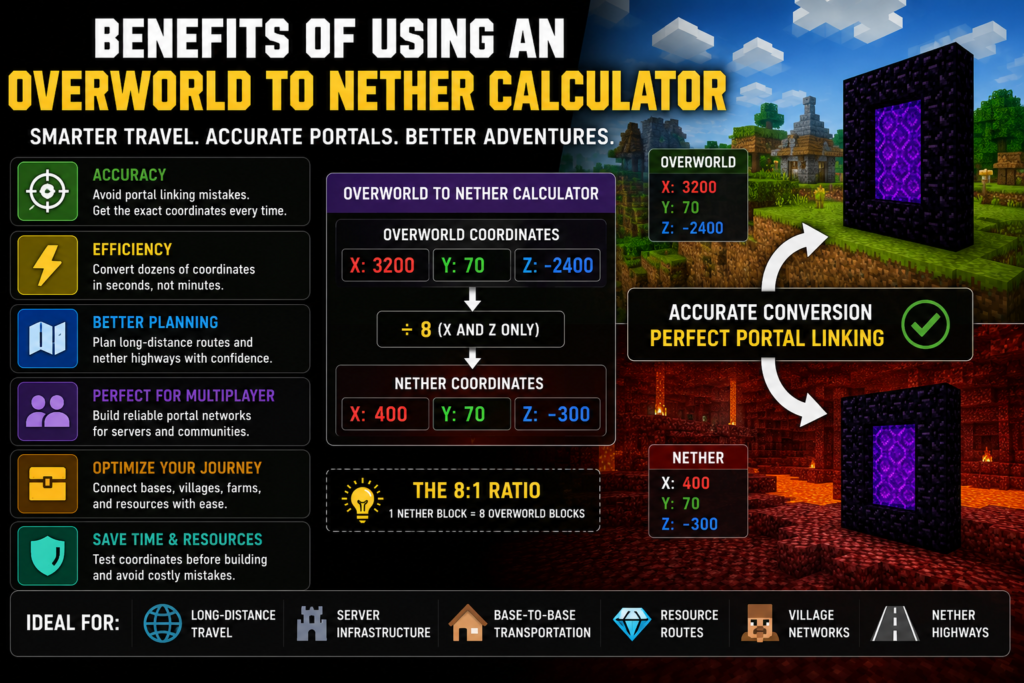
An overworld to Nether calculator does much more than save a few seconds. It helps players create organized travel systems, improve portal accuracy, and reduce mistakes that can break portal networks.
One major advantage is accuracy. Even a small coordinate mistake can cause portals to connect incorrectly. A nether conversion calculator reduces this risk by handling the math automatically.
Another benefit is efficiency. Players building large portal systems often need dozens of coordinate conversions. A coordinate conversion tool can process these values much faster than manual calculations.
Using a calculator is especially useful for:
- Long-distance travel planning
- Multiplayer server infrastructure
- Base-to-base transportation
- Resource gathering routes
- Village trading networks
- Neither highway construction
Many experienced players also use a Minecraft portal math calculator because it allows them to test coordinates before building expensive portal systems.
The larger a world becomes, the more useful a calculator becomes.
When You Should Use a Nether Conversion Chart
A nether conversion chart is one of the simplest tools available for coordinate planning. Instead of calculating coordinates repeatedly, players can quickly compare values using a prepared chart.
This approach works particularly well for common coordinate ranges where players frequently build portals.
A Minecraft Nether conversion chart can be helpful when:
- Connecting nearby bases
- Planning portal hubs
- Creating transportation routes
- Building community highways
- Organizing multiplayer worlds
- Mapping exploration routes
Many players combine a Nether coordinate chart with a Nether distance calculator. The chart provides quick references while the calculator handles custom coordinates.
This combination allows players to work more efficiently and avoid unnecessary calculations.
How to Build Accurate Linked Portals Using Converted Coordinates
Correct portal linking starts with accurate coordinate conversion. Once the coordinates have been converted, the next step is to place portals as close as possible to their intended locations.
The process begins by recording the original Overworld coordinates. Those coordinates are then converted using the standard ratio.
For example:
Overworld Coordinates:
X = 4800
Y = 72
Z = 2400
Conversion:
4800 ÷ 8 = 600
2400 ÷ 8 = 300
Converted Nether Coordinates:
X = 600
Y = 72
Z = 300
Building a portal near these coordinates helps create a stable connection between dimensions.
Players who regularly work with portal linking coordinates often use dedicated conversion tools to verify values before construction.
If you need additional help with distance planning and coordinate calculations, the Nether Portal Distance Guide provides useful examples:
https://calcurax.com/nether-portal-distance/
Using proper portal coordinate conversion before placing portals can prevent unwanted portal generation and improve overall travel efficiency.
Best Practices for Coordinate-Based Portal Placement
As a Minecraft world grows, portal organization becomes increasingly important. Following a few simple practices can help keep transportation networks clean and easy to manage.
Players should always record portal coordinates after construction. This makes future expansion easier and reduces confusion when adding new destinations.
Testing portals immediately after construction is also a good habit. If a portal links incorrectly, it is much easier to fix the issue before additional portals are added to the network.
Keeping portal routes organized can save a lot of time over the life of a world. Many large multiplayer communities create dedicated records of Minecraft portal coordinates and Nether portal coordinates so every player can follow the same system.
Using a portal linking system based on accurate coordinates helps maintain consistency across dozens or even hundreds of portals.
Coordinate Conversion Scenarios Every Player Should Know
Coordinate conversion is useful in many different situations.
One common example involves connecting separate bases. Players often establish starter bases, resource outposts, and large main bases. Linking these locations through the Nether reduces travel time dramatically.
Another common use involves reaching rare biomes. Sometimes a desert, mushroom island, or other desired biome can be located thousands of blocks away. Converting coordinates makes repeated trips much easier.
Stronghold access is another practical application. Building a direct Nether route to a stronghold allows players to reach End portals more efficiently.
Large multiplayer servers frequently use Minecraft portal conversion for shopping districts, community farms, transportation hubs, and public infrastructure.
In every case, accurate Nether portal conversion creates faster and more reliable travel routes.
Overworld to Nether Coordinate Reference Table
A good reference table provides quick access to commonly used coordinate values. Instead of performing the same calculations repeatedly, players can simply look up the conversion.
The following overworld-to-Nether conversion chart can be used as a quick reference when planning portal locations.
| Overworld Coordinates | Nether Coordinates |
| 800, 800 | 100, 100 |
| 1600, 1600 | 200, 200 |
| 2400, 2400 | 300, 300 |
| 3200, 3200 | 400, 400 |
| 4000, 4000 | 500, 500 |
| 4800, 4800 | 600, 600 |
| 5600, 5600 | 700, 700 |
| 6400, 6400 | 800, 800 |
| 7200, 7200 | 900, 900 |
| 8000, 8000 | 1000, 1000 |
This coordinate chart works well as a quick reference for everyday portal planning.
Coordinate Conversion Tips for Survival Worlds
Survival players benefit greatly from accurate coordinate conversion because resources and travel time both matter.
One useful strategy is creating a central portal hub near the main base. From that location, players can connect farms, villages, strongholds, and remote resource areas.
Many survival players also create protected tunnels in the Nether. These routes improve safety while allowing faster travel between destinations.
Keeping a written record of coordinates can help avoid confusion later. Even a simple list of Minecraft portal coordinates can make world management easier.
Using a Nether travel calculator before building new portals can also prevent costly mistakes.
Coordinate Conversion Tips for Creative Worlds
Creative mode gives players the freedom to experiment with large transportation systems without worrying about resource costs.
This makes Creative worlds ideal for testing Minecraft coordinate scaling, transportation layouts, and portal networks.
Many builders use Creative mode to plan:
- Portal hubs
- Transportation networks
- City connections
- Adventure maps
- Multiplayer infrastructure
Because resources are unlimited, players can test multiple portal layouts and compare results before implementing them in survival worlds.
A Minecraft coordinate conversion guide can be especially useful when designing large projects that span thousands of blocks.
Frequently Asked Questions About Overworld to Nether Calculator
What Is the Nether Coordinate Ratio?
The Nether uses an 8:1 distance ratio.
One block traveled in the Nether equals eight blocks traveled in the Overworld. This ratio forms the basis of every Nether portal math calculation and every Overworld Nether conversion calculator.
Does the Y Coordinate Change During Conversion?
No.
Only the X and Z coordinates change during Minecraft coordinate conversion. The Y coordinate generally remains the same.
This is why most calculators focus on x and z coordinate conversion rather than vertical coordinates.
Can Negative Coordinates Be Converted?
Yes.
Negative coordinates use the same formula as positive coordinates.
For example:
Overworld:
X = -1600
Z = -800
Nether:
X = -200
Z = -100
Every Minecraft coordinates converter follows this rule.
Why Is My Nether Portal Linking Incorrectly?
Incorrect portal linking usually happens because of:
- Incorrect coordinate conversion
- Portals placed too far apart
- Wrong coordinate values
- Negative coordinate mistakes
- Duplicate nearby portals
Using a Nether portal linking calculator can help identify potential issues before building new portals.
Is a Calculator More Accurate Than Manual Conversion?
The math itself is identical.
However, a coordinate conversion calculator reduces human error and makes large calculations much easier to manage.
For players working with multiple portals, a calculator is often the faster option.
Final Thoughts on Using an Overworld to Nether Calculator
Understanding coordinate conversion can completely change how players travel through Minecraft. Instead of spending time crossing thousands of blocks in the Overworld, players can use the Nether to move between locations much faster.
An overworld to Nether calculator simplifies the entire process by handling coordinate calculations automatically. Combined with a reliable nether conversion chart, it becomes much easier to plan transportation systems, connect distant bases, and create efficient travel routes.
Whether you are building a small portal connection or a massive multiplayer transportation network, accurate portal conversion plays a major role in successful travel planning. Learning how Minecraft coordinate conversion, Minecraft portal conversion, and nether portal coordinate conversion work together allows players to build better transportation systems and avoid common portal-linking problems.
With the formulas, examples, charts, and conversion methods covered in this guide, you now have everything needed to perform accurate portal linking coordinates calculations, build reliable portal networks, and take full advantage of the Nether’s travel system.